Improve bullet points
Turn basic responsibilities into clearer achievement-focused bullets with stronger action verbs.
Build a clean, professional resume with templates and AI writing help for every career stage.
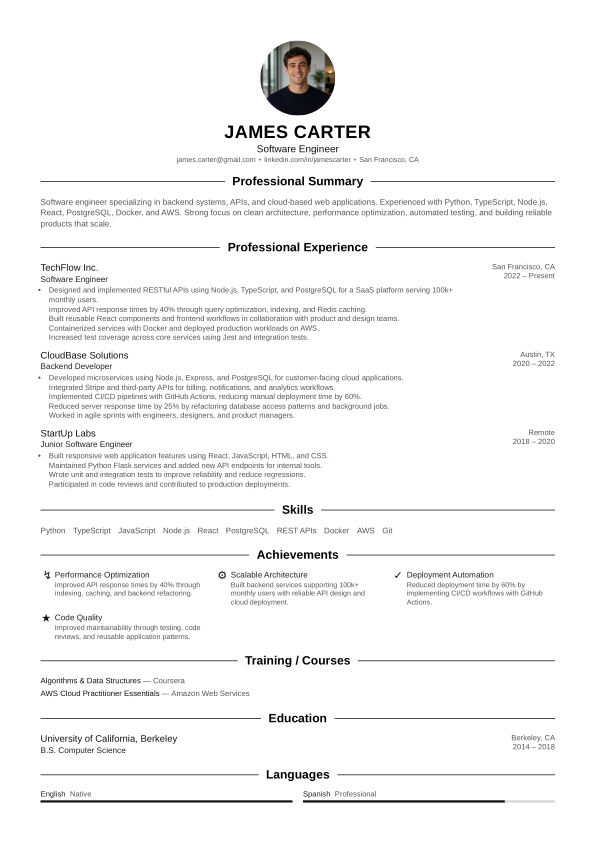
Choose a layout and build a professional resume step by step.
Click a template to open it and start building.
MyResumeMakerAI combines a live CV preview, editable sections, design controls and AI help so you can go from a blank page to a polished resume faster.
Ask the AI Coach for review, improvements, new bullet points or layout changes. You stay in control and approve suggestions before using them.
Turn basic responsibilities into clearer achievement-focused bullets with stronger action verbs.
Create a concise professional summary that fits your background and target role.
Use the job description to highlight the most relevant skills, experience and keywords.
Get help with skills, projects, certifications, education and other sections that strengthen your CV.
Start from an existing PDF CV and improve it inside a cleaner, more modern resume builder.
Ask for feedback on clarity, structure, wording and missing information before you send it.
Adjust fonts, spacing, colors and layout options while keeping a clean professional structure. Rearrange sections when you need the resume to fit your background better.
Use a template that matches where you are now, whether you are applying for your first role or presenting years of experience.
Focus on education, projects, skills, volunteering and transferable strengths.
Show coursework, internships, projects and early achievements clearly.
Reframe previous experience toward the role you want next.
Highlight measurable achievements, leadership and business impact.
Use clear checks for readability, missing sections, keyword relevance and formatting risks. The goal is simple: make the resume easier for recruiters and screening systems to understand.
Get Your Resume ScoreWhether you have years of experience, are applying for your first job, or are changing direction, MyResumeMakerAI helps you create a clear resume that is easy to read.
Start buildingRewrite weak bullet points into concise achievement statements with stronger action verbs and measurable impact.
Use clean headings, readable spacing and predictable sections that applicant tracking systems can parse.
Keep your layout professional without over-designing the resume or hiding important information.
Adapt your resume for different roles by focusing on relevant skills, results and keywords.
Start with a clean resume layout that fits your experience and target role.
Write from scratch, paste existing text or upload your old CV to speed things up.
Ask for stronger bullets, clearer wording, better summaries and section suggestions.
Adjust fonts, spacing, colors and layout, then download your finished resume.
Replace task-only bullets with results: revenue, time saved, cost reduced, quality improved or projects delivered.
Read resume tips →Use relevant keywords naturally, especially in skills, experience and summary sections.
Read ATS guide →Choose whitespace, clear headings and consistent formatting over excessive graphics.
See templates →Yes. You can start using MyResumeMakerAI for free. New users get access to the resume builder and core features so they can test the tool and see if it fits their needs. Some export, download or advanced features may require a paid plan.
Yes. The templates are designed around readable sections, clear typography and simple structure. This helps both recruiters and applicant tracking systems understand your resume.
The app is designed to help you upgrade existing resume content into a cleaner, more professional layout.
No. Start with a template and focus on content. The layout handles spacing, hierarchy and presentation.
Start with a clean template, improve your content and create a resume you are proud to send.